1. Feature Overview
The Gname settlement feature allows users to transfer eligible earnings from transactions on the platform to their account balance or a designated recipient account.
Users can navigate to Financial Management → Settlement to view the pending settlement amount, check settlement details, and select a settlement method based on their needs.
2. Settlement Process
2.1 View Settlement Amount
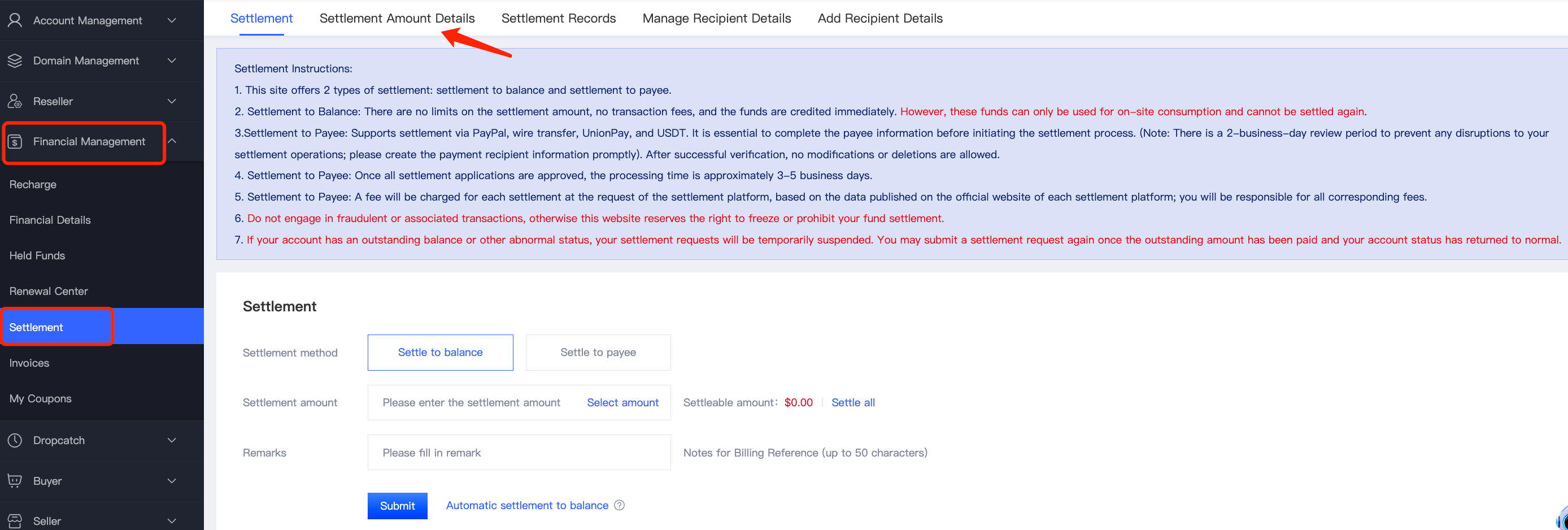
Log in to your Gname account and navigate to Financial Management → Settlement → Settlement Amount Details to view the pending settlement amount and related transaction records.
2.2 Select a Settlement Method
Gname supports the following two settlement methods:
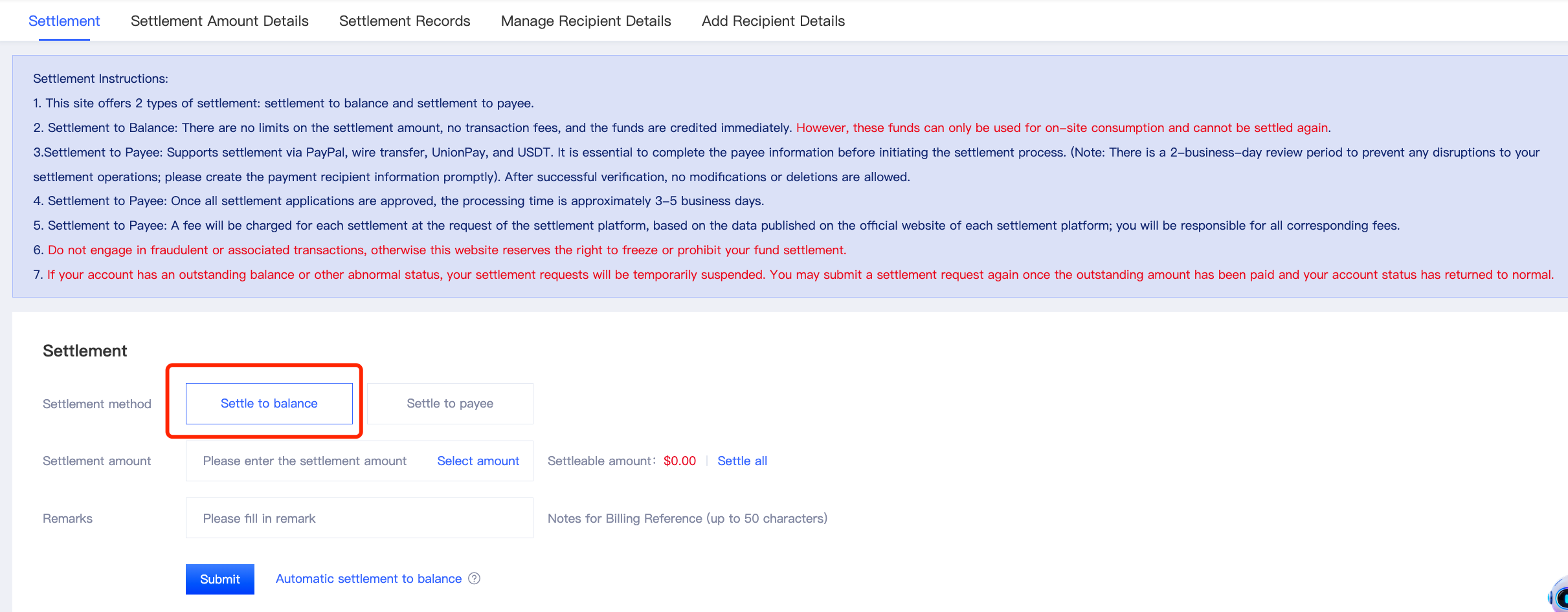
Option 1: Settle to Account Balance
- No minimum settlement amount.
- No transaction fees.
- Funds are credited immediately.
- The funds can be used for purchases on the Gname platform but cannot be withdrawn again.
Option 2: Settle to Payee
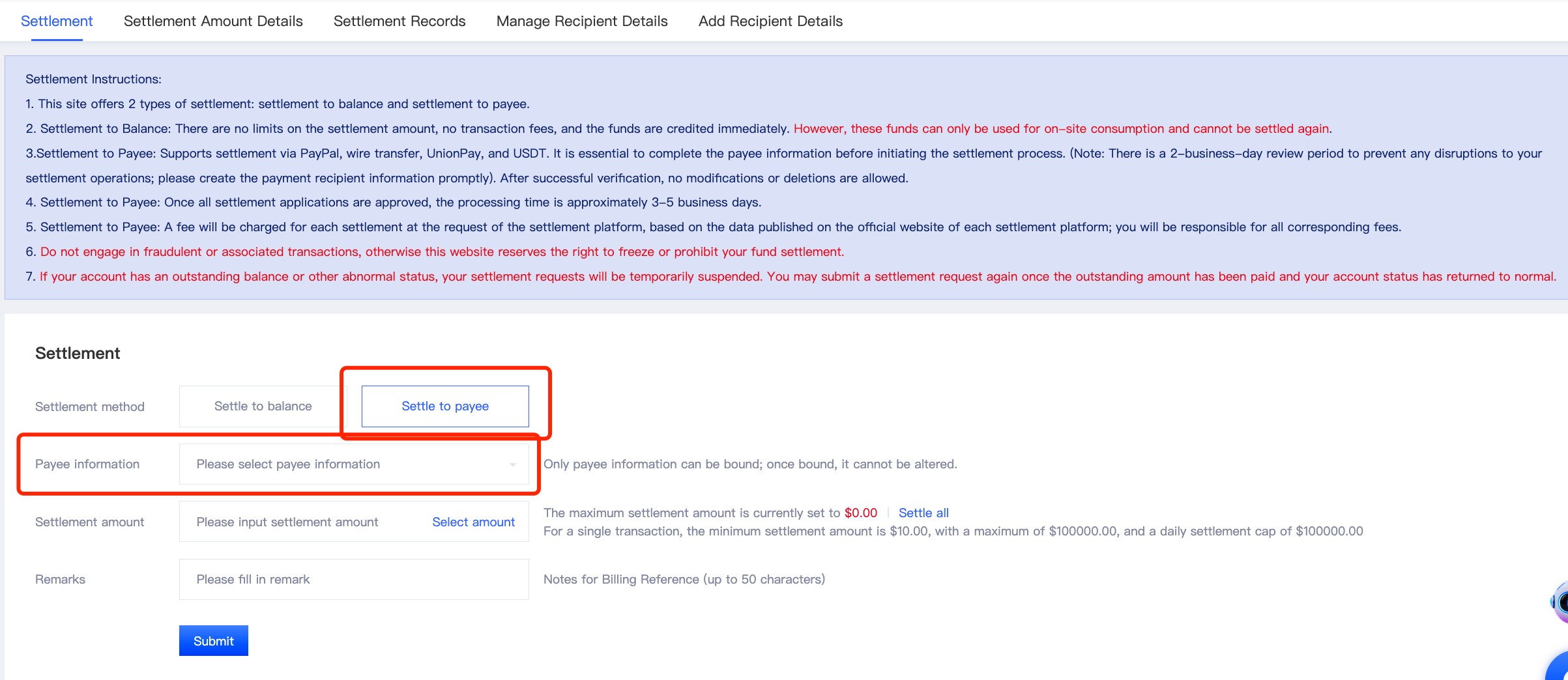
Gname supports multiple payout methods, including PayPal, bank wire transfer, UnionPay, and cryptocurrency.
Before using this method, you must create your recipient information and submit it for approval. The review process typically takes approximately 2 business days.
2.3 Submit a Settlement Request
On the Settlement page, select your preferred settlement method and enter or select the amount you wish to settle.
After verifying that all settlement information is correct, click 【Submit】to your request.
2.4 Wait for Settlement Processing
After submitting a settlement request to a recipient account, the platform will review your application.
Once all required reviews have been approved, the settlement process typically takes approximately 3–5 business days.
Please monitor your settlement status and check for relevant notifications.
3. Important Notes
- Verify the Available Settlement Amount
Please refer to the pending settlement amount displayed on the page. Funds must pass the platform's review before they become eligible for settlement.
- Create Recipient Information in Advance
If you wish to settle funds to a recipient account, please create and submit your recipient information for review in advance to avoid delays in the settlement process.
- Ensure Recipient Information Is Accurate
Please make sure that your selected payout method and account details are accurate. Once recipient information has been successfully approved, it cannot be modified or deleted.
- Be Aware of Processing Times
The review of funds, recipient information, and settlement requests may require additional processing time. The actual processing time is subject to the platform's review results.
- Understand the Differences Between Settlement Methods
Funds settled to your account balance can only be used for purchases on the Gname platform and cannot be settled again. If you choose another payout method, please make sure you understand its corresponding review requirements and processing times.
If you have any questions regarding settlement amounts, settlement status, or payment arrival times, please contact Gname Online Customer Support for assistance.